Cadillac CUE – there’s an app for that

Cadillac CUE – there’s an App for that!
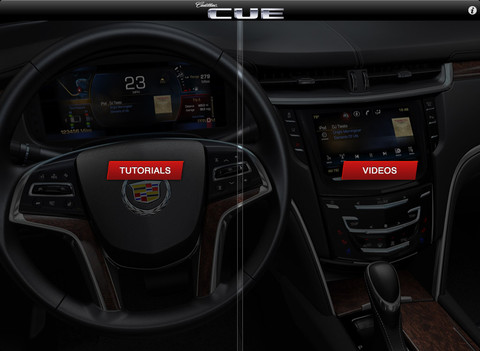
Cadillac CUE App Videos or Tutorials

Cadillac CUE App Videos or Tutorials

One of the great things about the new Cadillac XTS is that it comes with an IPAD.  On the IPAD is an app which helps teach the new owner about the Cadillac User Experience (CUE) in the XTS.

Cadillac User Experience includes the touch screen center console, the programmable dash, and the various entertainment, communication, and information features.

The App is available in the App store — so even if you don’t have a new Cadillac XTS with IPAD, you can install the free app and learn how to tailor the new CUE system to your heart’s desire.
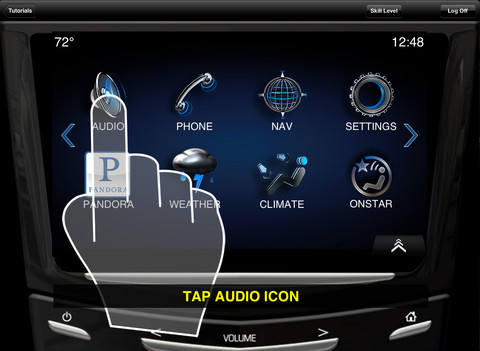
Cadillac CUE Tutorial

Cadillac CUE Tutorial

The app has videos that show various CUE features, and tutorials on how to do specific things with the CUE system.  As in the image above, a shadow hand in the tutorial shows you exactly what you need to do — touch, swipe, or push — to get the desired effect.

Cadillac says:

This application includes numerous videos and tutorials on the use of the Cadillac User Experience (CUE), which debuts on the new 2013 Cadillac XTS. “How Things Work” videos hi-light CUE’s capabilities and walk users through key functions. Interactive tutorials engage users with 3 separate skill modes (beginner / advanced / expert) and enables them to “test-drive” CUE, replicating many of the controls and features of the CUE center stack and gauge cluster on the vehicle.

Ideally run the app on your own IPAD until you get your Cadillac XTS!  Then you can be ready to setup the new Cadillac CUE system exactly the way you want it to work.

  • The Cadillac CUE app is free, and required iOS 4.3 or higher.
  • Link to Cadillac’s CUE info site.
  • CUE category on this blog.

Cadillac XTS Weekend Test Drive Thoughts, Comments, Reflections

The Cadillac XTS is an excellent choice for a full-size luxury sedan.  It has the latest technologies in everything — power, suspension, braking, entertainment, information.  It is truly innovative in the use of CUE — and every new Cadillac needs this dash display.

This weekend I am test driving a Cadillac XTS courtesy of Crest Cadillac.  See my other posts —   Pickup, Cadillac XTS at Cars and Coffee, Cadillac XTS Virtual Dyno, Cadillac XTS Dash Display.  My test car is a Cadillac XTS with Premium Collection.

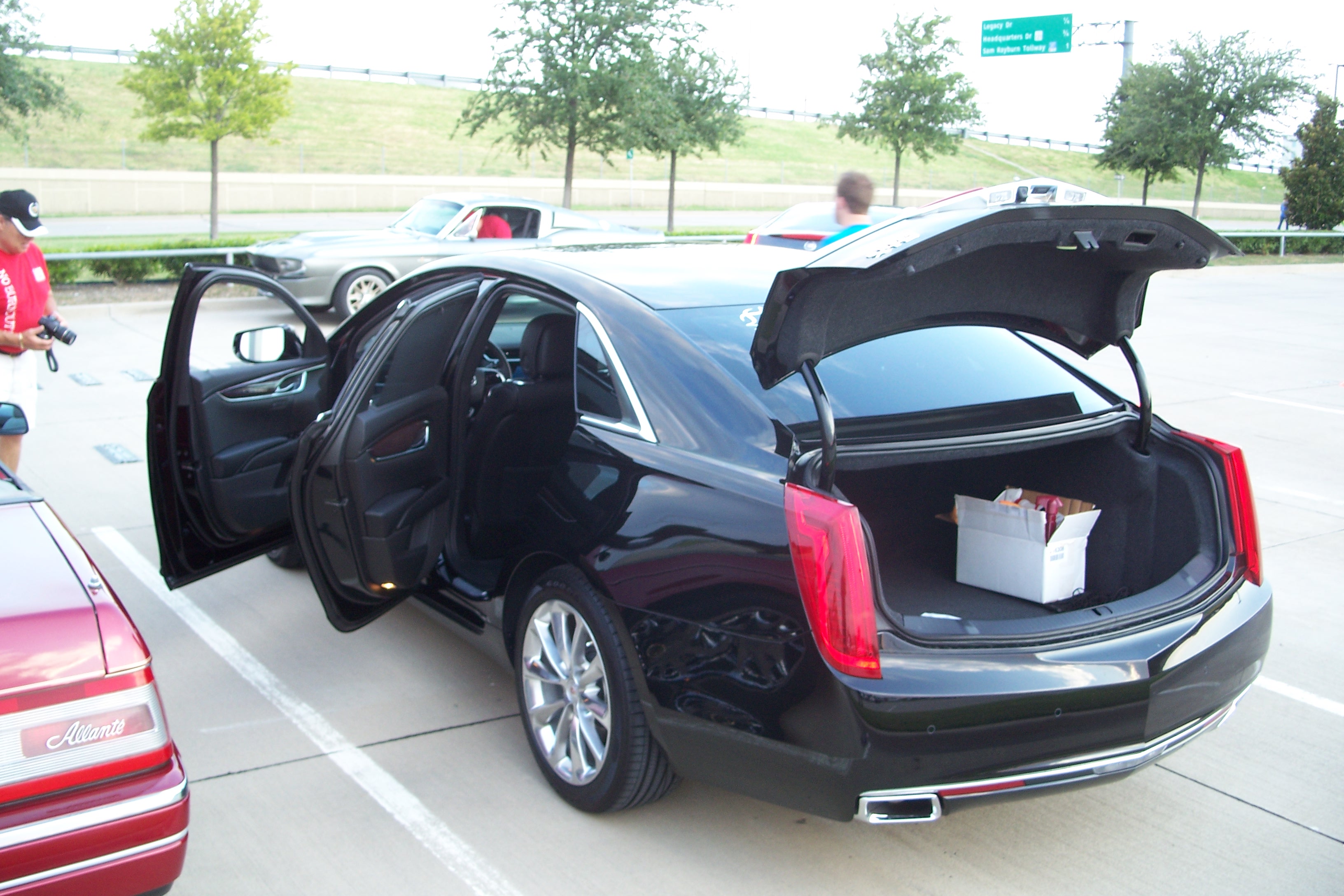
Cadillac XTS trunk open

Cadillac XTS trunk open

Highlights

I didn’t get to mention in the other XTS weekend test drive posts:

  • The Cadillac XTS has tons of head room.  Anyone should fit comfortably in this sedan.
  • Light pipes on the door handles are slick and allow the handles to light up at night
  • Interior light in the center console is a very thoughtful touch & makes it easy to find things at night
  • The 304 hp LFX has several aftermarket options for adding power and tuning now courtesy of its use in the Camaro
  • The way the door handle works with the keyless remote is different from my V but very functional.  The button on the handle locks/unlocks the door if you have the key fob.
  • The transmission in the XTS performs very well.  I prefer it in sport mode, but with normal or sport or manual shift with paddles on the steering wheel every driver can have the transmission operate the way they want it.
  • Total integration of vehicle information can’t be overemphasized.  This Cadillac is a thoroughly modern interpretation of the full-size luxury sedan.
  • Huge Trunk — the XTS trunk is a new standard in large trunks.

Headscratchers:

Items that made me go hmmm:

  • Acceleration programmed to be smooth — the XTS is drive by wire, and even in sport mode the throttle goes to 100% with some minute delay to ensure smoothness.  Not perceptible — I saw it in the data-log.
  • Missing the premium engine?  It is unusual for a Cadillac to only be offered with one power plant.  I suspect the actual premium engine is a FWD variant of the upcoming twin turbo 3.6L V6, but it is not ready yet.

 Cadillac XTS Summary

  • Worth the loot?  Yes — if you want maximum luxury + technology in a full-size Cadillac.
  • Why would you choose not to buy? If you want max performance please look at one of the Cadillac V-Series models.
  • Model I would get?  XTS Premium
  • Should I wait for the Cadillac ATS?  The XTS and ATS are very different Cadillacs.  If you want a full-size Cadillac with lots of leg room, shoulder room, full back seat, huge trunk, the Cadillac XTS is your ride.  If you want a small, sporty luxury sedan the ATS is the one.

Cadillac XTS dash display

The Cadillac XTS dash display is the type of dash I want on every Cadillac I drive from now on.

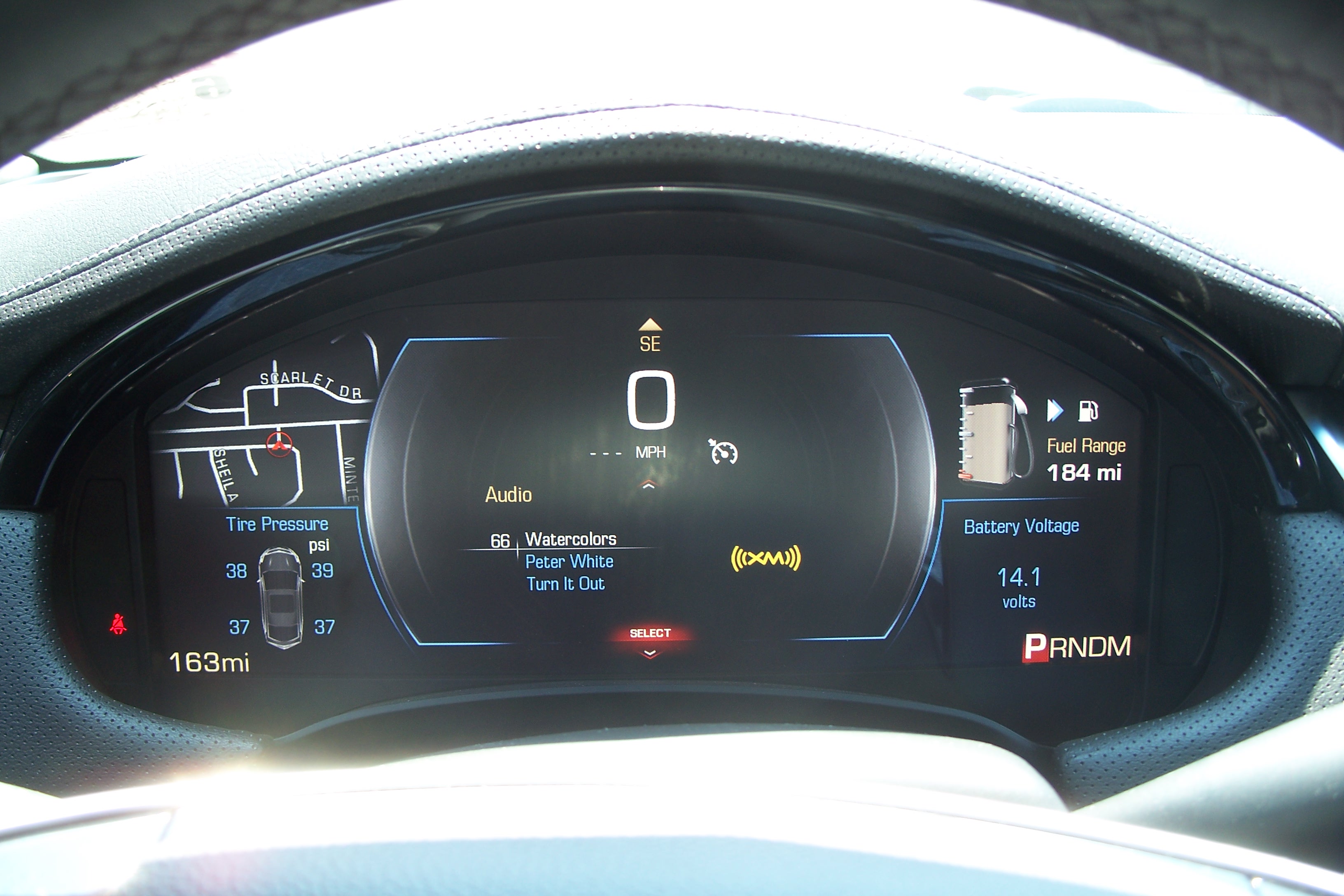
You can choose from different modes for the display, and a variety of display options within each mode.  The Cadillac XTS dash is one part of the new Cadillac CUE system.

This weekend I am test driving a Cadillac XTS courtesy of Crest Cadillac.  See my other posts —   Pickup, Cadillac XTS at Cars and Coffee, Cadillac XTS Virtual Dyno.

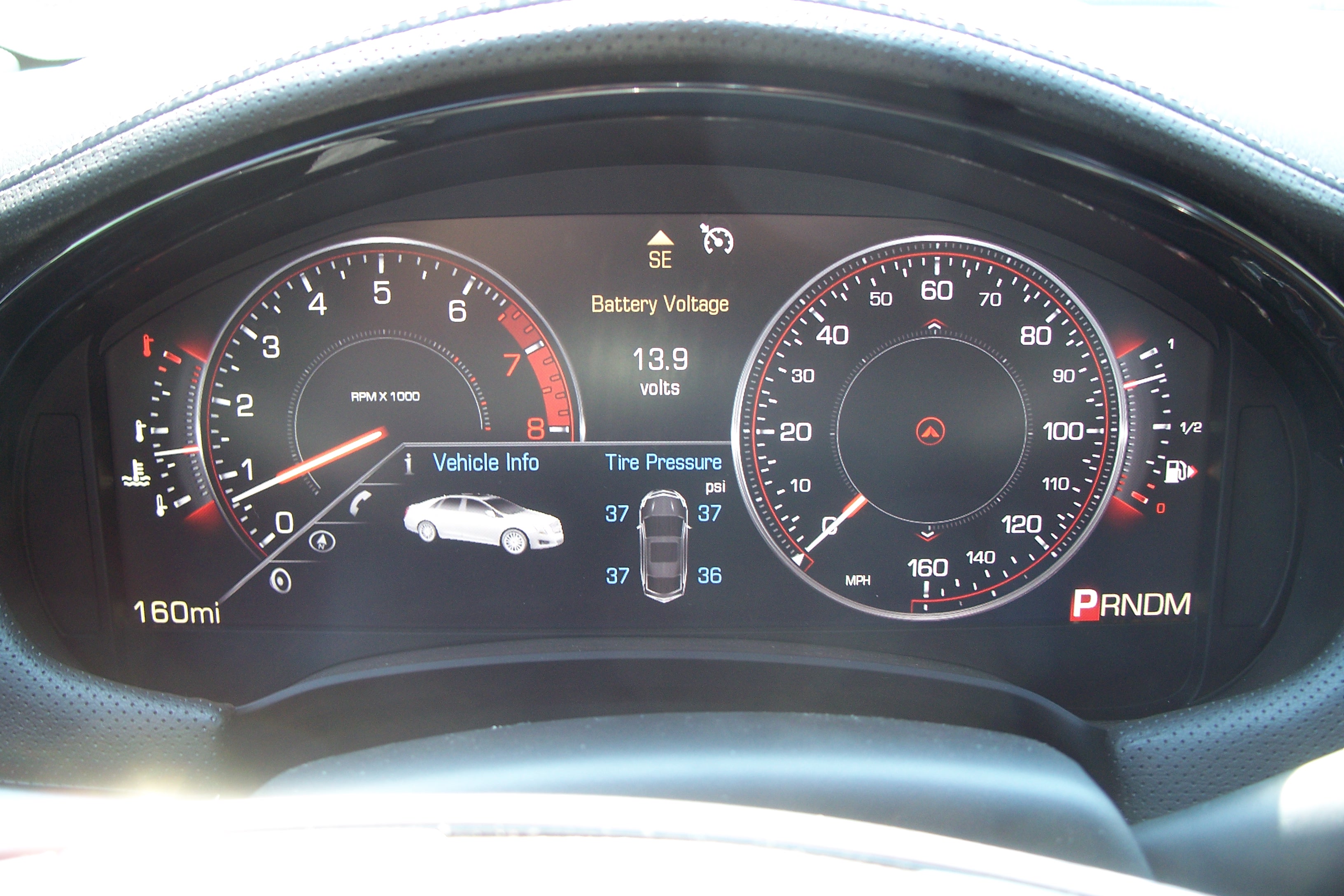
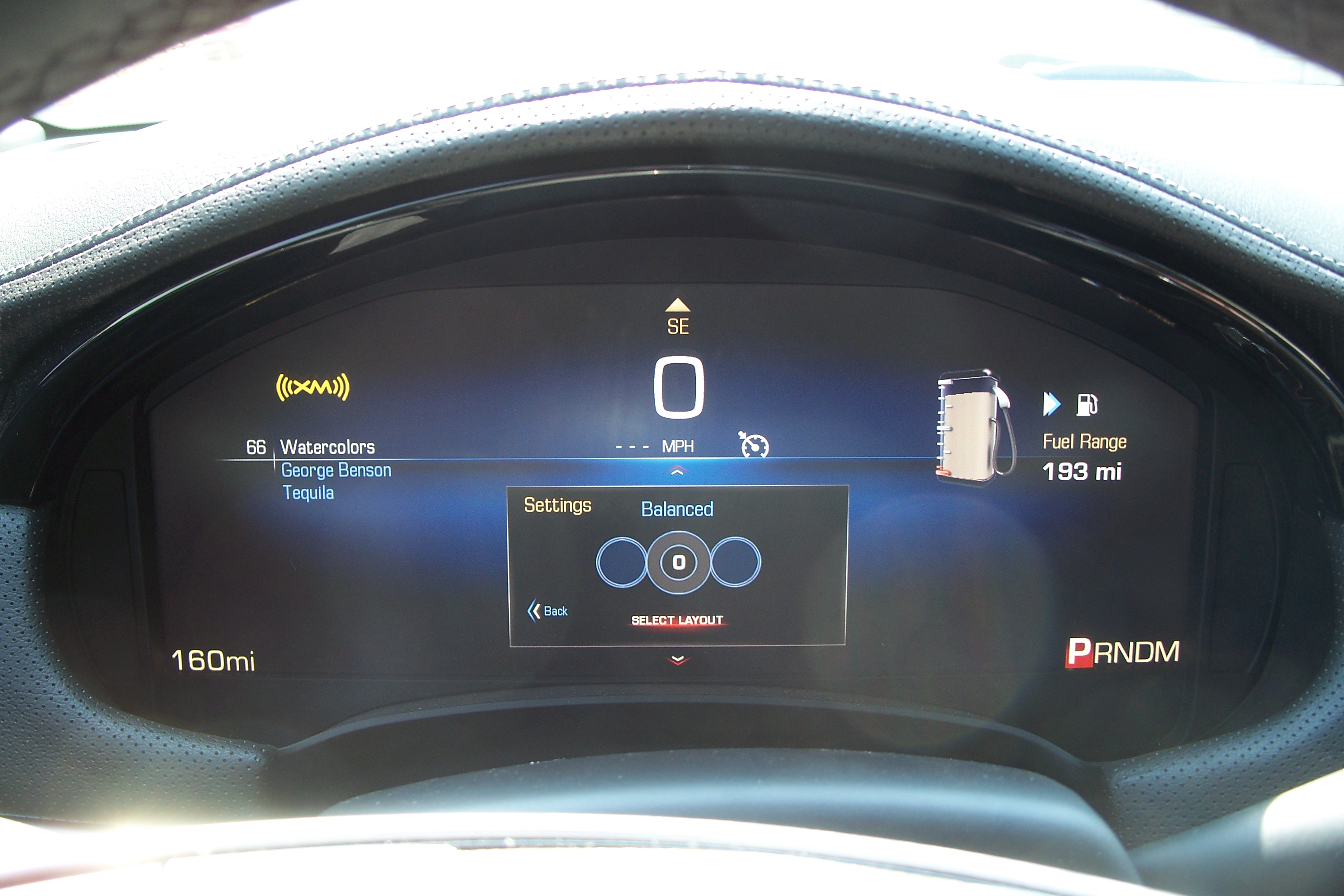
Today Son2 and I grabbed lunch after church, and spent some time configuring and taking photos of the Cadillac XTS dash display.  All of these images are images of the dash of the Cadillac XTS as looking from the driver’s seat through the steering wheel.  Yes, these are all taken in the same car!

Cadillac XTS dash display - Performance

Cadillac XTS dash display – Performance

Performance: in this mode there is a large tachometer and speedometer, but also a large display in the center left for your choice of either vehicle information, phone, navigation, or audio information.

Cadillac XTS dash display - Simple

Cadillac XTS dash display – Simple

Simple: this mode is minimalist.  Speedometer speed is shown in the center with a choice of info like audio to the left and fuel to the right.

Cadillac XTS dash display - Balanced + Nav

Cadillac XTS dash display – Balanced + Nav

Balanced: this Cadillac XTS dash display features full tachometer and speedometer, but gives equal space to car status gauges like water temperature and fuel.  I have elected to have navigation information displayed in the gauge center.  I could have just chosen to have the gauge needle show there for simplicity.

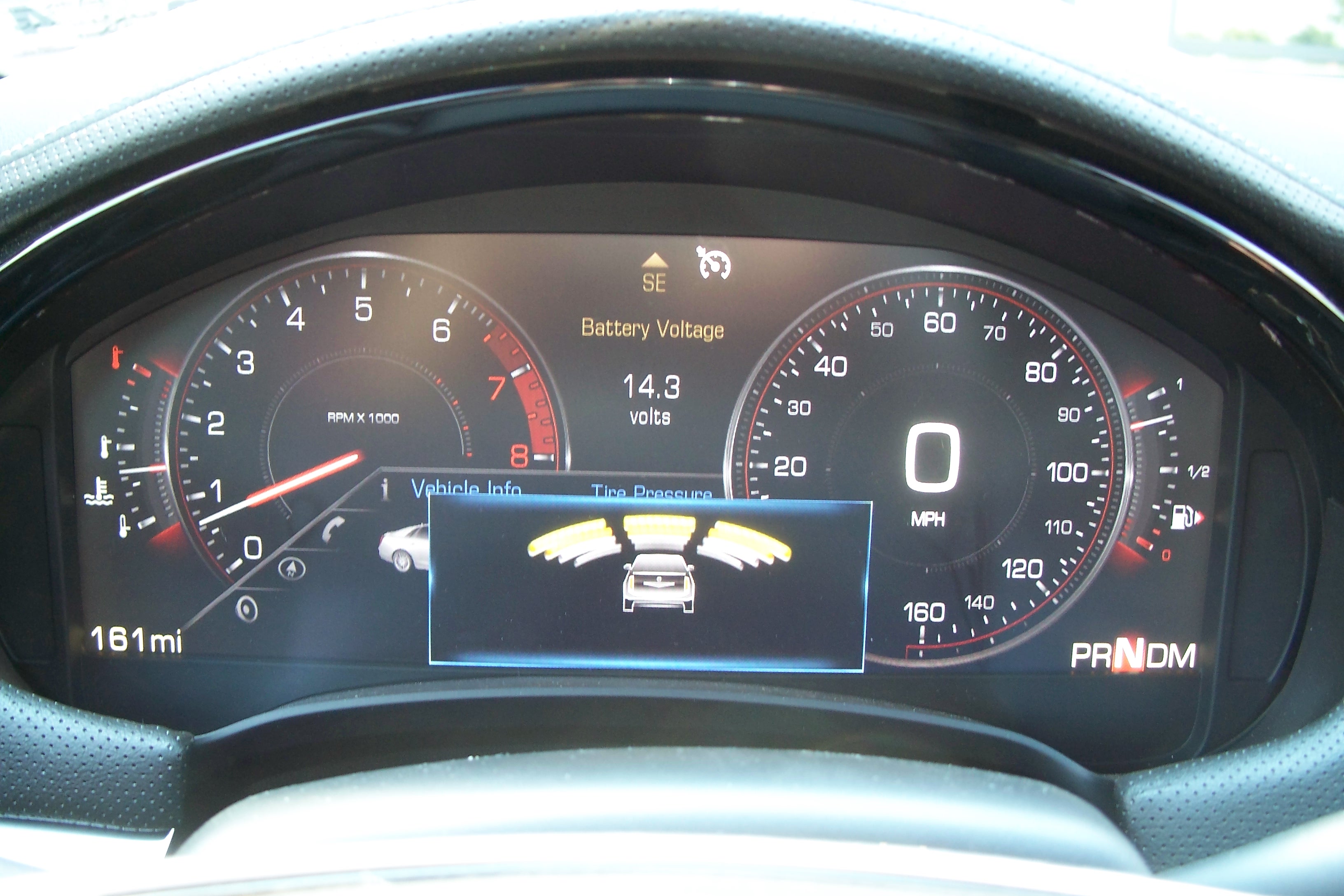
Cadillac XTS Dash -- Too Close!

Cadillac XTS Dash — Too Close!

Warning: This display is warning me that by pulling into a parking space in front of the restaurant I have gotten too close to the nearby wall!

Cadillac XTS dash display - Enhanced

Cadillac XTS dash display – Enhanced

Enhanced: this mode is like the Simple mode, but Enhanced with a few more features.

Cadillac XTS Dash Display — Summary

The Cadillac XTS dash is extremely versatile.  This is clearly the direction that all dashes need to take on every Cadillac in the future.  It also promises even more customization freedom — such as if you could design and upload your own dash templates, or download new templates from Cadillac.com!